

Mechanical parts, from drawing to data.
Mech.TriD is a technical catalog with PDM functions for parts designed in SolidWorks and Inventor. Every part has its 3D model, drawing, data sheet and history; releases are checked, changes are controlled, and the design process is measured.
A two-minute tour of the working prototype, from log-in to the dashboard.
One place for every part, its data and its changes
The catalog covers the path a mechanical part follows in a small technical office: classified, modelled, drawn, assembled, checked, released and changed under control.
Catalog
- ICS classification
- Families and categories of ISO ICS 21 for mechanical components.
- Search by code
- Type a part number and press Enter: the part opens at once.
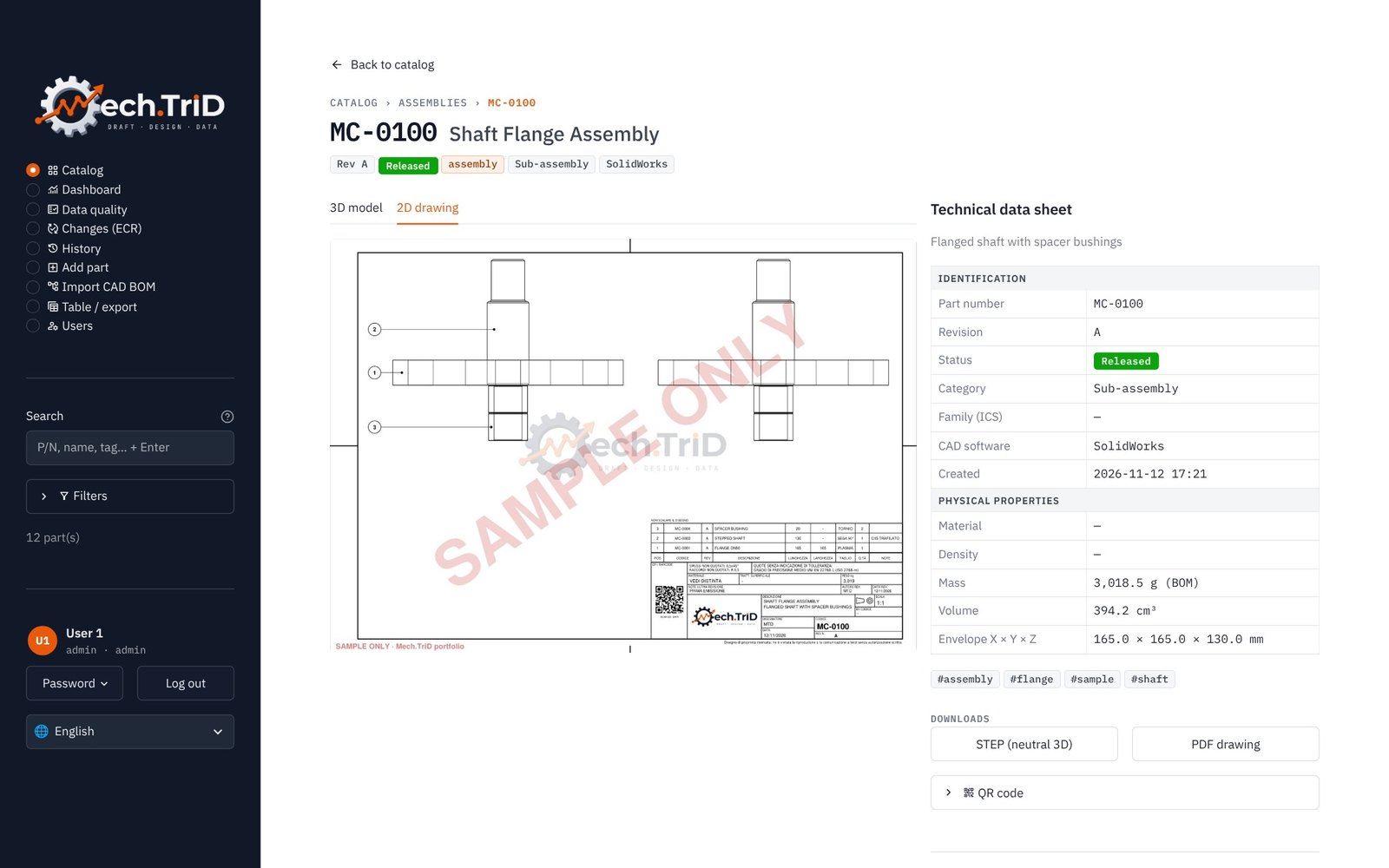
- QR on every drawing
- A QR code in the title block opens the part from a phone on the shop floor.
Engineering
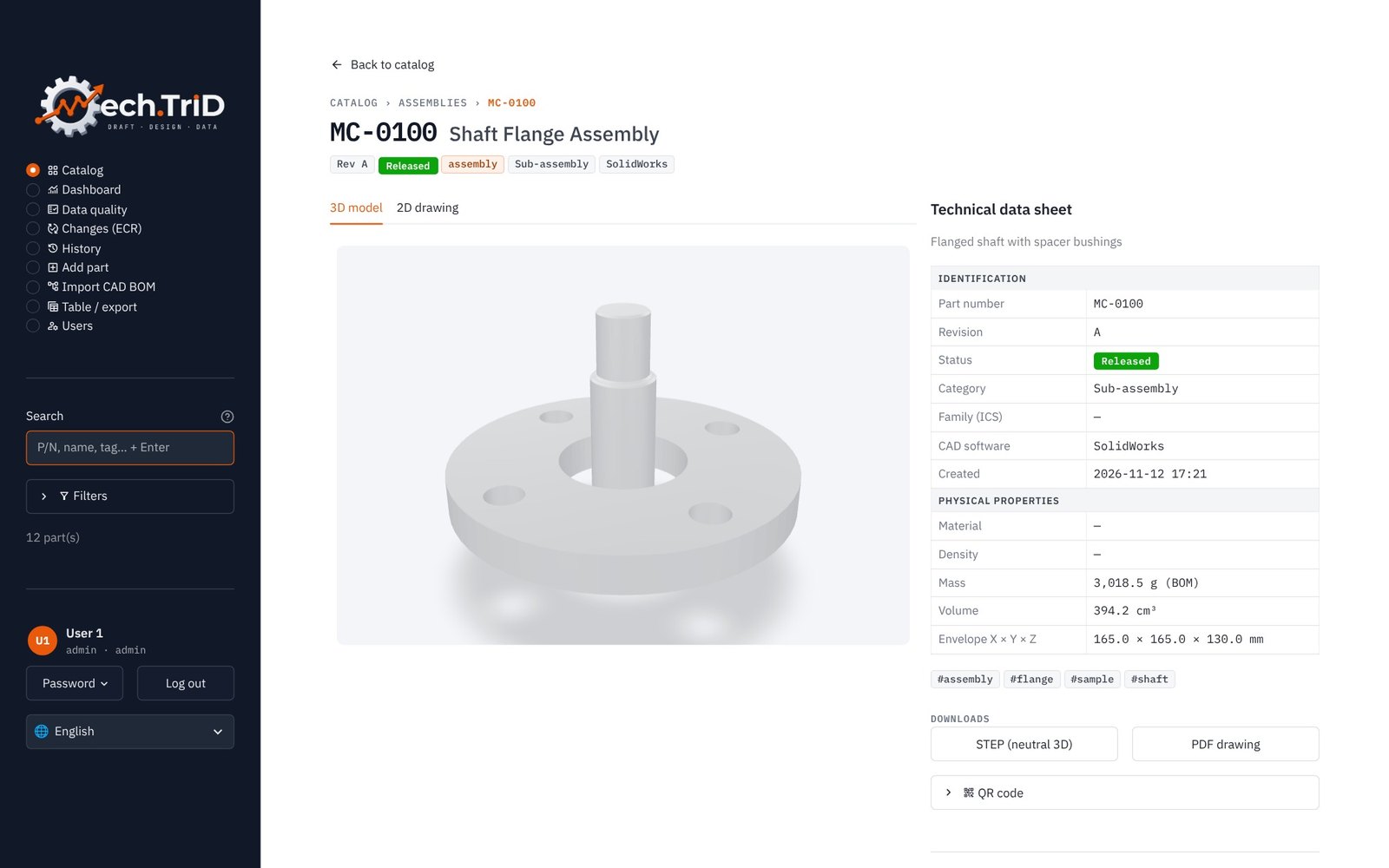
- 3D viewer from STEP
- Volume, mass from material density and envelope computed from the exact geometry.
- Multi-level BOM
- Assemblies inside assemblies, structured BOM with level codes, flattened BOM for ordering.
- Cut list
- Bars per profile with a cutting plan per bar, sheet parts and parts to buy.
Control
- Lifecycle and release check
- Draft, In review, Approved, Released: nothing is released while a component is not ready.
- Check-out and check-in
- One person edits a part at a time; everyone else sees it read only.
- Engineering changes (ECR)
- Reason, approval, new revision and closure, with a signable form.
Analysis
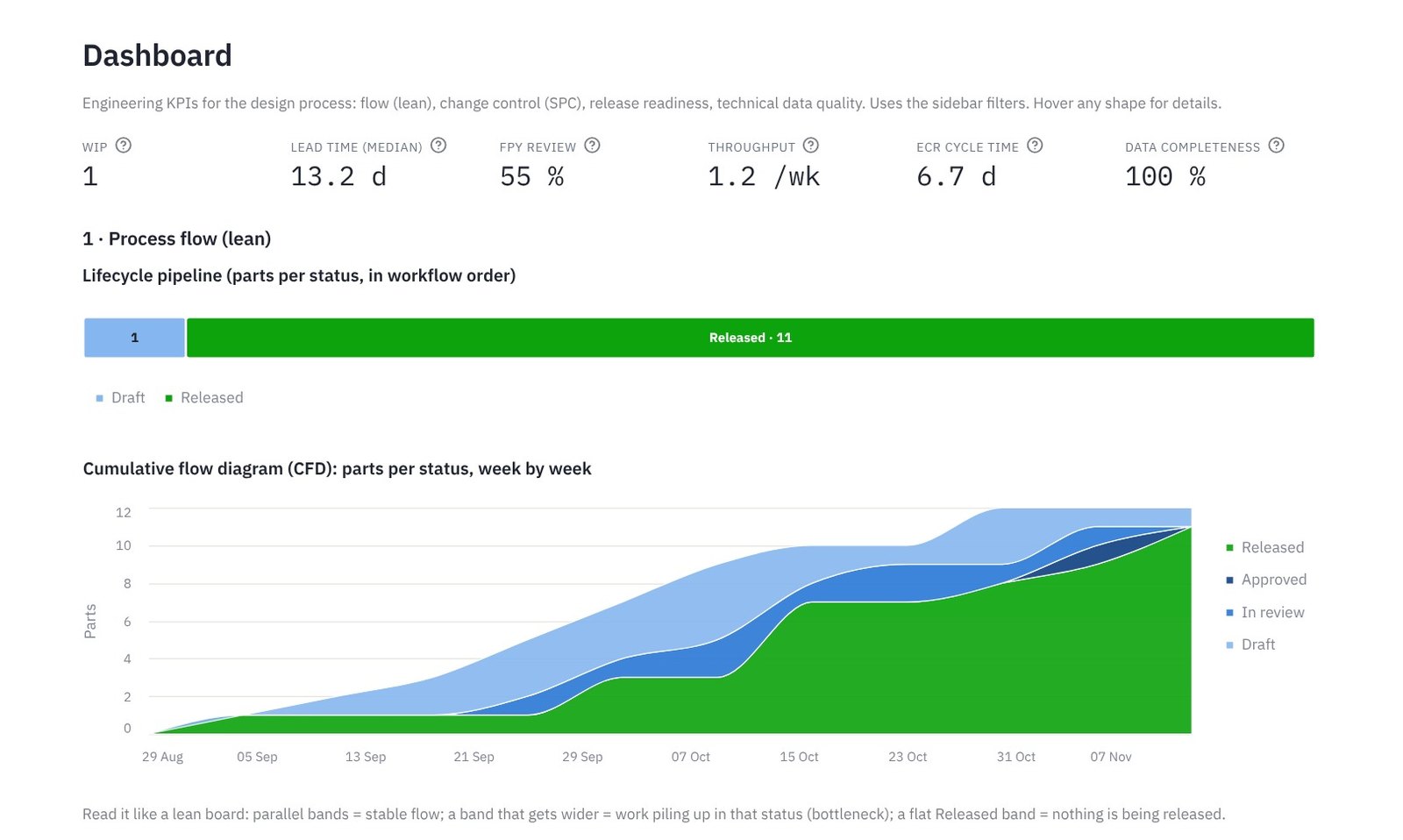
- Lean dashboard
- WIP, lead time, first pass yield, throughput and a cumulative flow diagram.
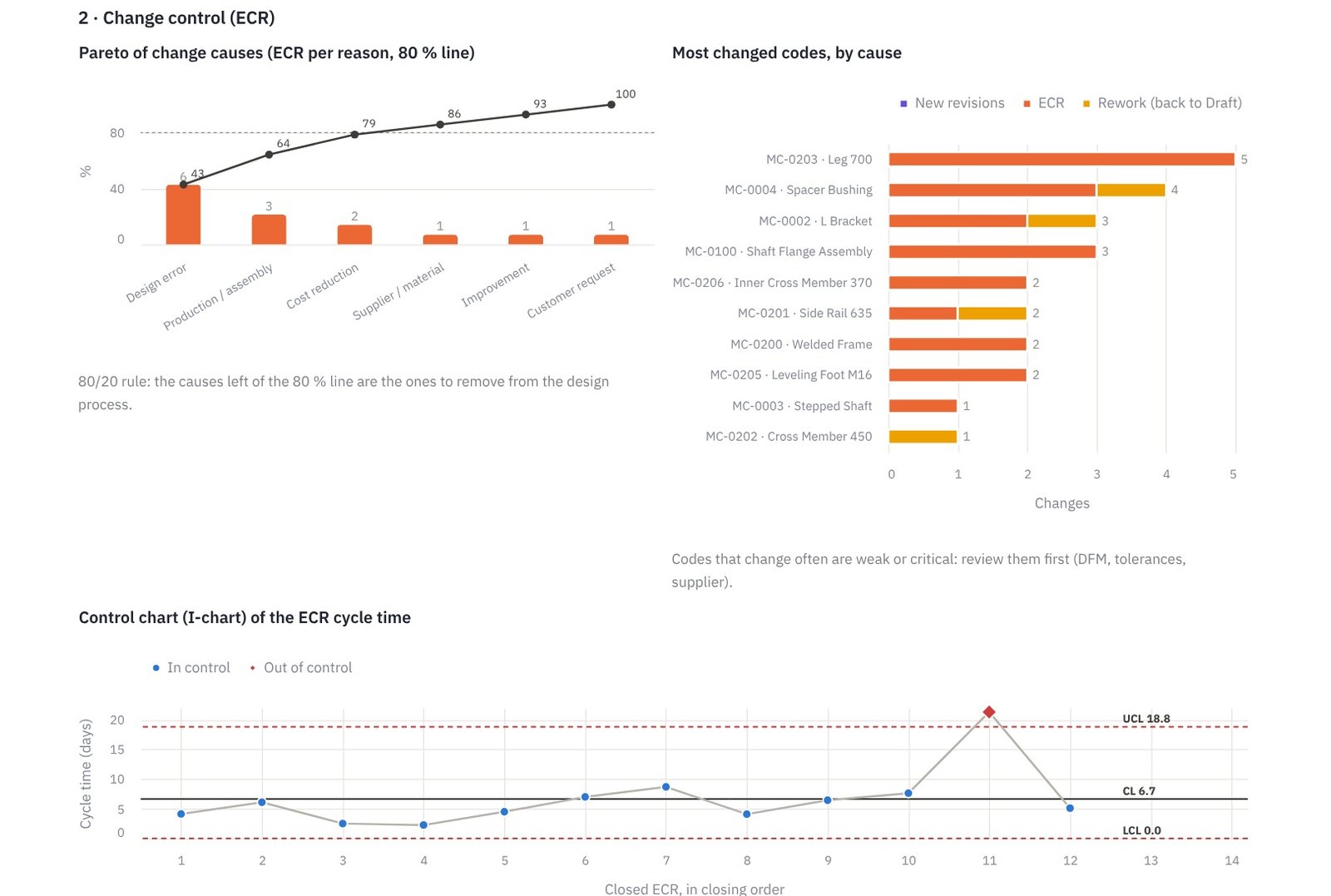
- Change control with SPC
- Pareto of change causes and an I-MR control chart of the ECR cycle time.
- Data quality
- Automatic checks and a completeness matrix of the technical data.
Platform
- Log-in and roles
- Viewer, designer, approver, administrator; hashed passwords; four-eyes approval.
- Audit trail
- Every change signed with user, date and comment; exportable for an ISO 9001 audit.
- Five languages
- Italian, English, French, German and Spanish, reports included.
Screens from the working app
Demo data: twelve example parts, two assemblies and a marked demo history. The example drawings carry a SAMPLE ONLY watermark.
A release you can trust, a change you can trace
Designers draft and send to review; only approvers can approve, release or mark a part obsolete. A released part is never edited in place: it changes through an ECR and a new revision.
About the project
More than a drawing.
More than a database.
Every part tells two stories: the one on the drawing and the one in the data. Mech.TriD keeps both in one place. It is a digital catalog that links every drawing to its 3D model, its revisions and its approvals, then turns that history into insight: where the design process slows down, why parts change and how complete the technical data really is.
What gets measured gets improved. Bottlenecks become visible, changes are traced back to their root cause, and every release is backed by evidence instead of memory.
Mech.TriD is a working prototype: every feature shown on this page runs in the app today, and development continues.
The name says it: Mech for mechanics, Tri-D for 3D and for the three D's of the work, Draft, Design and Data.